)
Key Takeways
- Payroll automation software reduces manual work and helps prevent tax and compliance errors.
- This guide compares five of the best payroll automation software options for growing businesses.
- PayFit and Personio are strong choices for European businesses, while Wave Payroll and Square Payroll focus mainly on the US market.
- The right solution depends on your location, team size, integrations, and support needs.
Few things feel better for founders and finance leaders than watching your team grow. But as headcount increases, so does payroll complexity — different employment types, local tax rules, benefits, and the constant risk of compliance errors.
For growing businesses in Europe, managing payroll manually isn't just time-consuming — it's a liability. A single miscalculation can trigger penalties, delay salaries, and erode employee trust overnight.
Payroll automation software solves this by handling calculations, compliance, and payments automatically — so your finance team can focus on strategic work instead of chasing spreadsheets.
In this guide, we've compared five of the best payroll automation tools for growing businesses. Compare the options and choose the platform that fits your team.
What is payroll automation?
Payroll automation is the automation of the payments you make to your employees. Online payroll software solutions make automated payments to your employees’ accounts, and keep track of those payments come year-end tax season.
With payroll automation software, you can rest easy knowing that you’re withholding the correct amount for the tax payments you owe. Payroll automation even helps you manage holiday hours and overtime calculations.
Certain banks that offer free business checking accounts, like Wells Fargo, offer their own payroll solutions, tax programs, and insurance. As a small business, it’s good to complement services like these with a spend management platform created for rapidly growing businesses like yours.
Now that we’ve defined payroll automation, let’s dive into our top five picks for the best software for growing businesses.
How payroll automation works
Employee data HR feeds in hours worked, salaries, benefits, and tax info
Payroll calculation Software calculates gross pay, deductions, and net pay automatically
Tax filing Taxes calculated and filed with the relevant authorities
Direct deposit Net salaries transferred to employee bank accounts on payday
Payroll automation software examples
1. PayFit
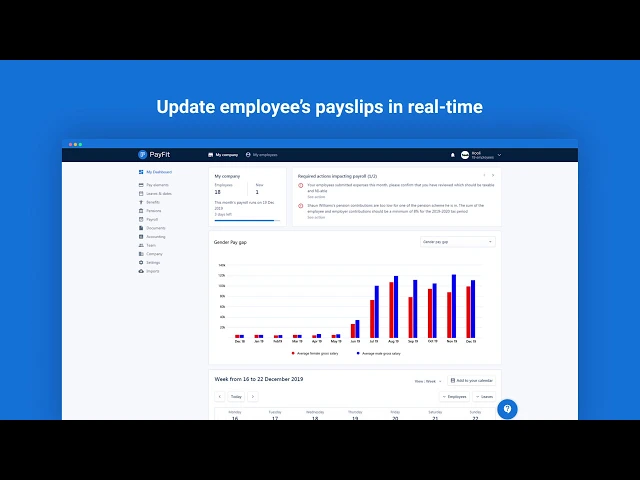
At the top of our list is the cloud-based solution PayFit. One of the best parts about PayFit is that it squares you away with the regulations and rules before you ever actually automate your payroll. After you’re set up, PayFit lets you make changes and calculate payroll, overtime, and taxes in real time, and with only a couple of clicks.
PayFit assigns businesses a dedicated payroll expert who’s familiar with your region’s rules and regulations. These experts set you up correctly during your onboarding phase and create a calendar that accounts for local holidays.
PayFit pricing depend on the country (or countries) in which you process payroll, and the number of employees involved. Request a demo to get specific pricing details.
2. Personio

Advertised as an all-in-one HR software tool, Personio lets small business owners automatically transfer their employees’ salary information to its preliminary payroll solution - no detailed lists or number-crunching required on your end. Personio’s preliminary payroll also lets employees update their personal information at any time and automatically highlights employee updates for your review before you approve them.
One of Personio’s biggest draws is its time-saving series of interlinked processes. With Personio, business owners can automatically transfer time-tracking and performance management information to ensure employee wages and bonuses are always accurate.
And since Personio stores all of your data in a single location, your employees can access their pay stubs from a personal file.
3. Wave Payroll
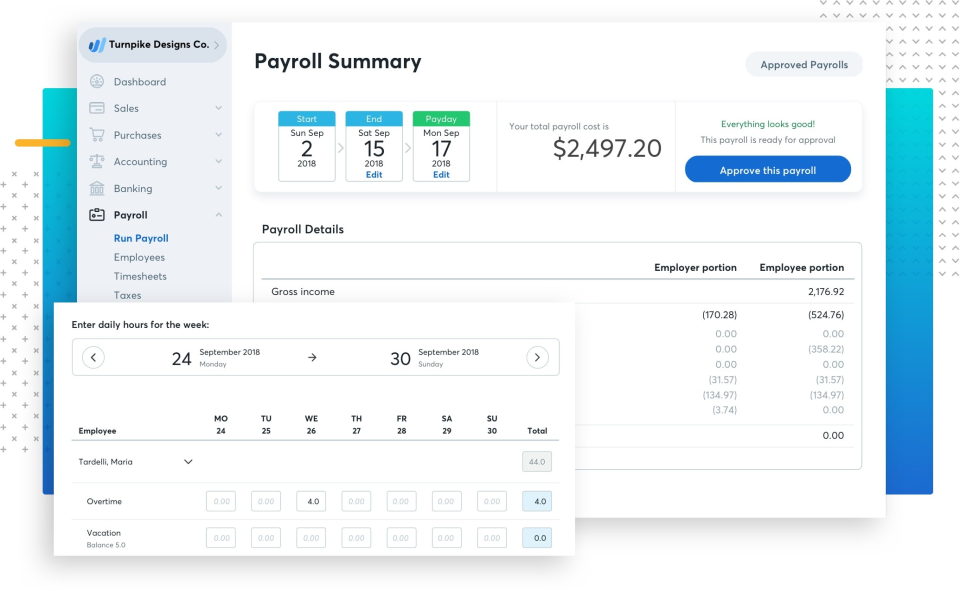
Cloud-based software solution Wave Payroll lets small business owners process payroll and payroll taxes in all 50 U.S. states. Wave Payroll lets you manage payroll, deductions, and taxes through a single easy-to-use platform for both salaried employees and contractors.
If you connect your employees’ and contractors’ accounts with Wave Account, Wave will even file taxes for them depending on the state in which they live.
In addition to its tax payments and filings capabilities, as well as its direct deposit payments, Wave also automates entries made in your accounting journal to reduce time spent on bookkeeping. Your employees can use Wave to access W2 forms and pay stubs securely, and it lets them update their banking and contact info at any time.
Wave offers businesses a free 30-day trial to help them get started, after which pricing plans vary depending on the state in which your business operates.
4. Square Payroll
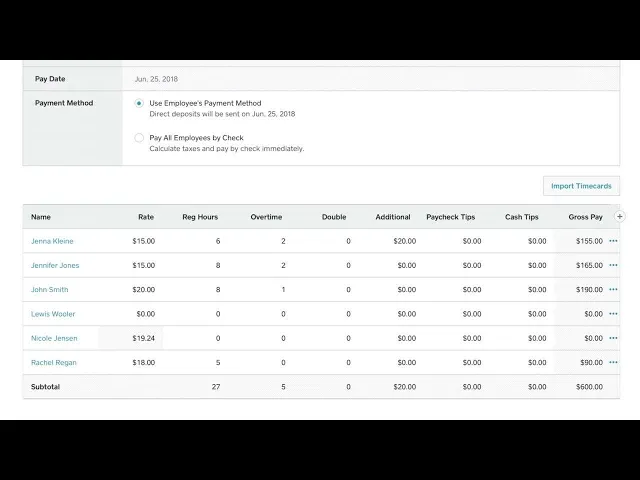
Square Payroll automatically calculates how much you need to pay regarding state and federal payroll taxes, and it takes care of your quarterly filing, too. Small business owners can enjoy an unlimited number of automated payroll runs, and they can accurately collect employee information thanks to Square’s integration with time-in and time-out software.
A key benefit of using Square Payroll is its range of health benefits. Square partners with SimplyInsured to offer health insurance plans with some of the best life insurance companies and partnerships with healthcare providers. It also collaborates with AP Intego to help you manage workers’ compensation insurance amounts without requiring you to pay any fees.
5. Intuit QuickBooks Payroll
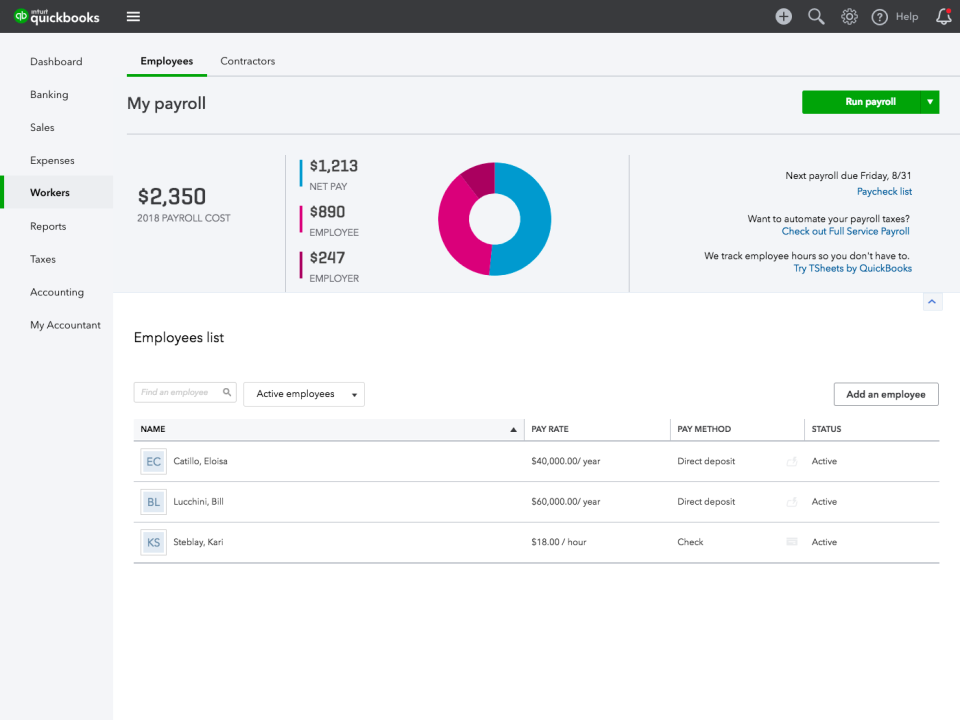
Last but not least is Intuit QuickBooks Payroll, an online payroll software solution that, as you may have guessed, fully integrates with Intuit’s other software solutions. In fact, arguably the biggest plus that comes with using Intuit QuickBooks Payroll is its flexibility and integrations: users can integrate books and HR solutions and can even upload their tax filing to Intuit’s TurboTax.
Plus, Spendesk synchronizes with your QuickBooks account, meaning you can capture more than 95% of your receipts on time and close your books each month with a single click.
Pricing for Intuit QuickBooks Payroll is relatively transparent, which you can find on their Pricing page here.
Payroll sorted? Now control everything else your team spends
Payroll software handles salaries — but salaries are only part of what your business spends. Once your team starts growing, you also need to manage corporate cards, out-of-pocket expenses, supplier invoices, and team budgets. Without a dedicated platform, that's where the chaos creeps back in.
Spendesk gives finance teams one place to control all non-payroll spending — before it happens, not after.
Corporate cards with built-in controls — issue physical and virtual cards to every employee with custom spending limits, merchant restrictions, and instant pause/cancel
Automated expense reimbursements — employees submit receipts via mobile app and get reimbursed directly, no spreadsheets or month-end chasing
Invoice and supplier payment management — approve, track, and pay vendor invoices with a full audit trail
Real-time budget visibility — see exactly where every euro is going, by team, project, or cost centre, at any moment
Spendesk integrates directly with payroll tools like PayFit and Personio — so your HR and finance data stays in sync without manual exports.
)
)
)
)
)
)
)